 AudioStrada
An AI assistant that can hear your mix
Connect Claude or another assistant to AudioStrada. It measures, looks and makes changes in your open project, and you always have the last word.
A mixing conversation
Here's what a session with Claude Desktop can look like. Example
My vocal gets buried in the chorus, can you take a look?
compare_audio render_spectrum
I compared the vocal and the guitars over the chorus. Between 2 and 4 kHz the guitars are 5 dB louder than the vocal, so I'm cutting them by 3 dB at 2.8 kHz with Strada-EQ. Let me listen again.
set_insert analyze_audio
With that cut, the vocal comes through 4 dB clearer in that range, and the chorus is just as loud overall.
It listens
Loudness, peaks, dynamics, stereo width, the balance of each band, resonances: it renders any track or the master and measures it.
It looks
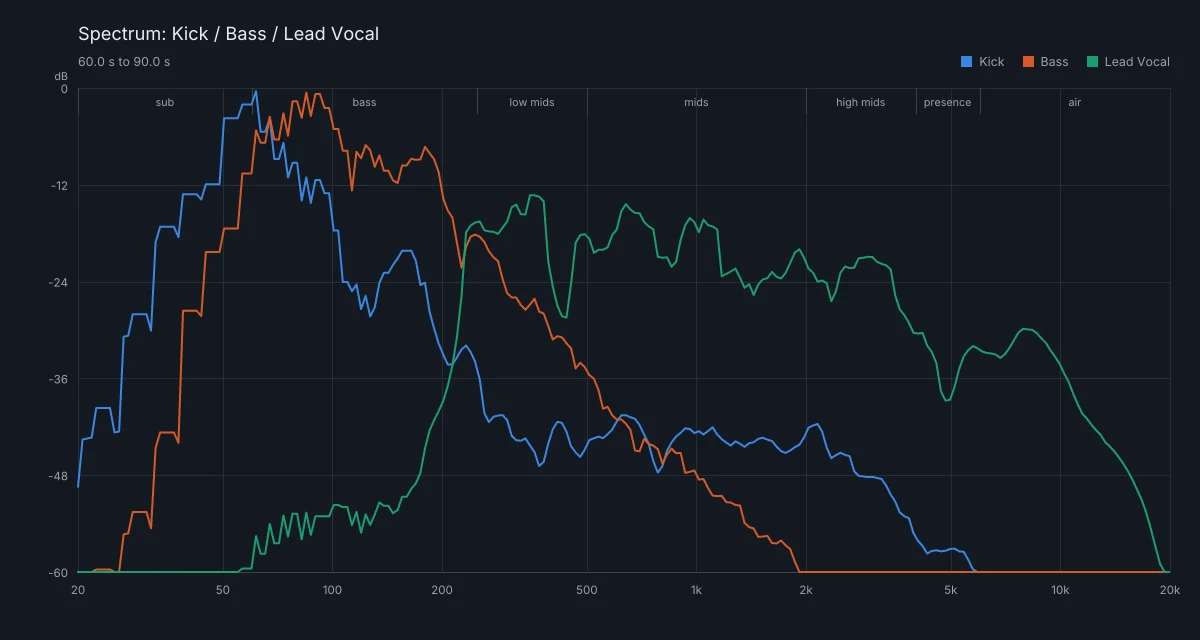
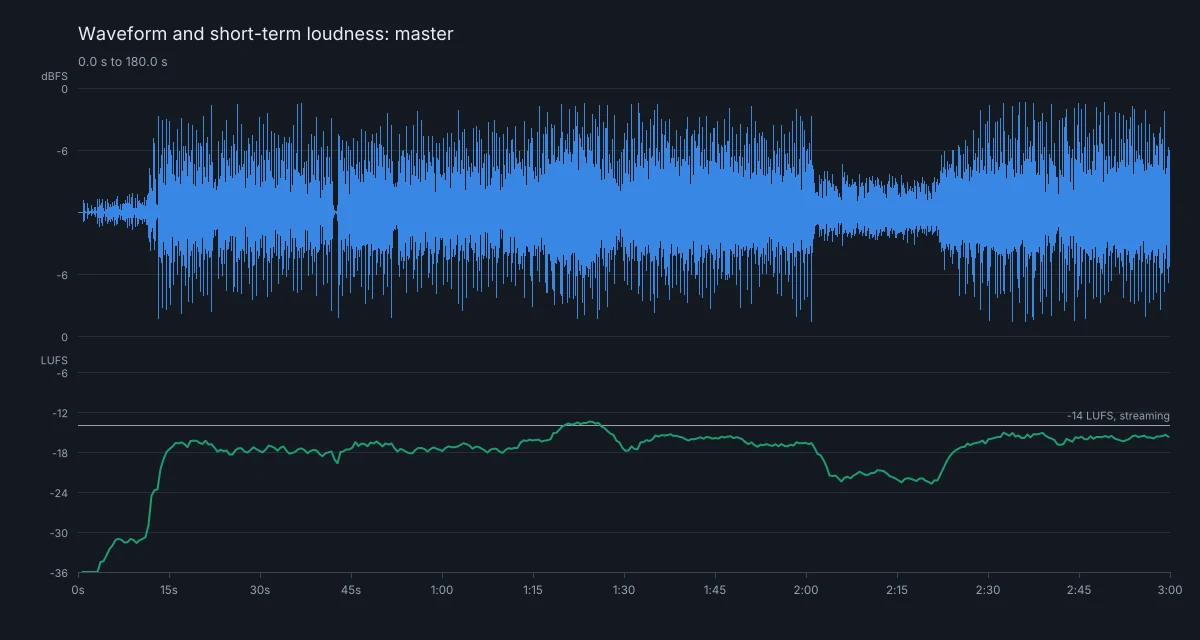
Several spectra on top of each other, spectrograms, waveforms and loudness curves: pictures it reads the way you would.
It acts
It writes notes and drum patterns, moves and trims clips, adds effects, and sets EQs and levels. You can undo every change.
It compares
Two tracks side by side: how their levels and bands differ, and the frequencies where they mask each other.
Connect in one click
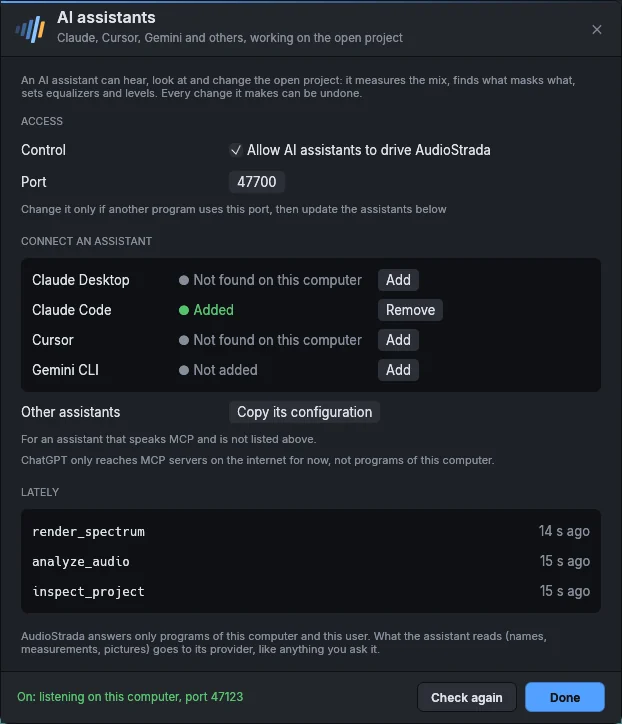
Help › AI assistants adds AudioStrada to Claude Desktop, Claude Code, Cursor or Gemini CLI.
Stays on your computer
Only programs running in your own session can control AudioStrada. What the assistant reads goes to its provider.
What the assistant sees
These are the pictures it gets: the kick, bass and lead vocal spectra on top of each other, and the master's waveform above its short-term loudness.
Set up your assistant in one click
AudioStrada speaks MCP (Model Context Protocol), the open standard that lets AI assistants use tools.
- Claude Desktop, Claude Code, Cursor and Gemini CLI: add them from Help › AI assistants
- Any other MCP assistant: copy its configuration
- ChatGPT can only reach MCP servers on the internet for now
Keep exploring
Free software, paid for by the people who use it
The code is open, under the GNU GPL. A yearly subscription pays for the signed official builds and keeps development going. Every version you download is yours to keep.
Try before you buy: the official builds run without a license. You'll just hear a short dropout every ten minutes.