 AudioStrada
A console that feels like a big desk
A channel strip on every track, plus buses, groups and VCAs to keep big sessions under control.
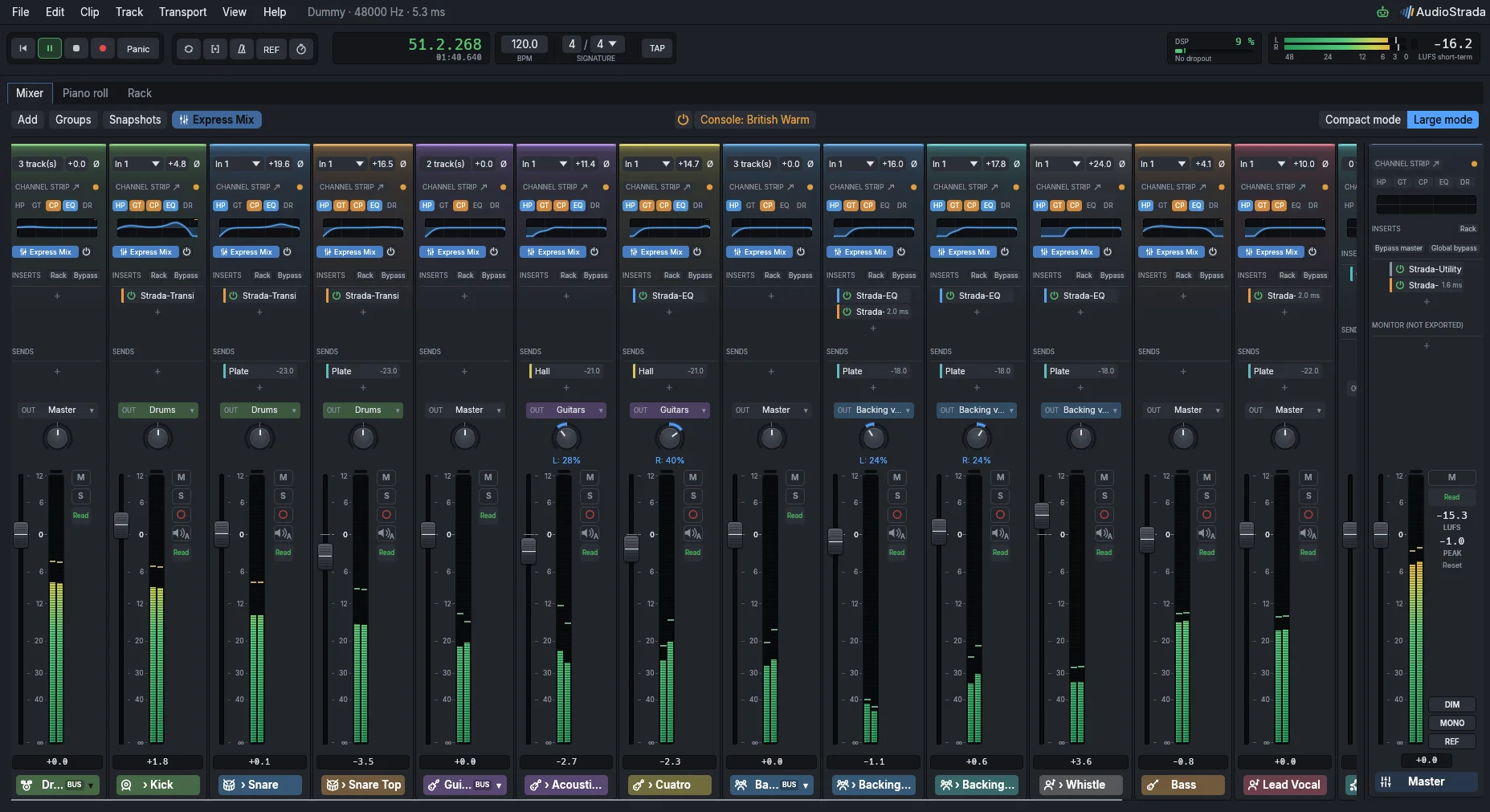
Mix while it plays
Ride a fader, hear a track with and without Express Mix, then change the colour of the whole console, all while the song keeps playing.
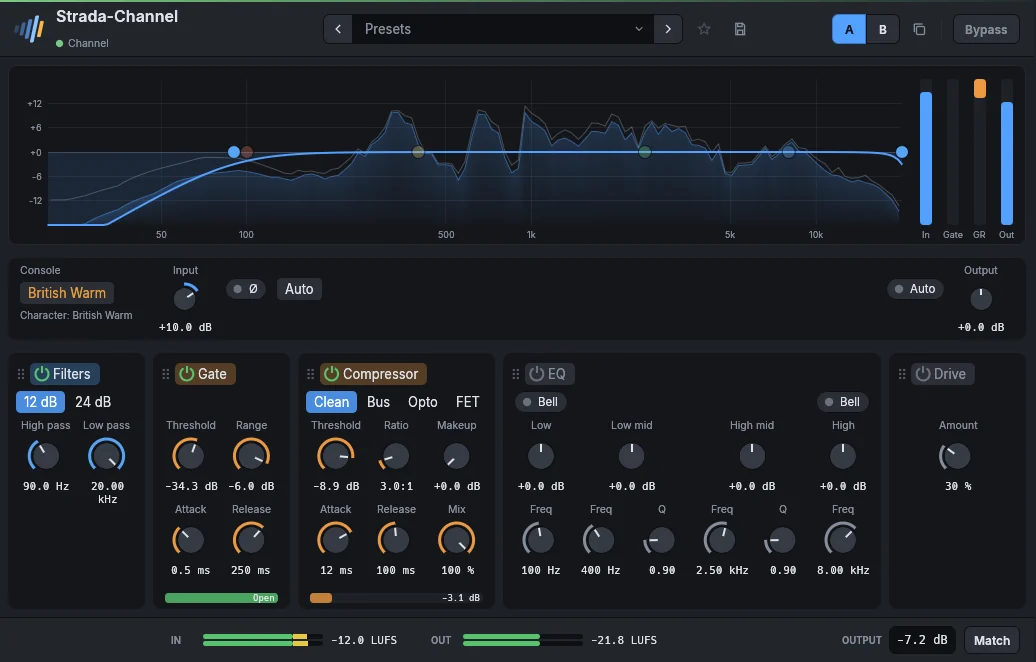
A channel strip on every track
Filters, gate, compressor, four-band EQ and drive in one unit, on every track, just like on a large-format desk.
- Four compressor flavours: Clean, Bus, Opto and FET
- 12 or 24 dB filters, bell or shelf EQ bands
- Drag the sections into any order
- Meters for input, gate, gain reduction and output
- A section switched off costs nothing: the strip stays transparent until you touch it
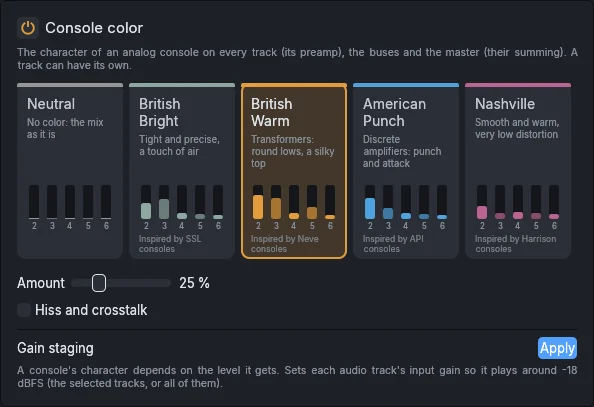
Console colour
Give every track, every bus and the master the sound of an analog desk. Choose a console, set the amount, and listen.
- Four consoles, from tight and precise to warm and round
- Each card shows the harmonics that console adds
- Hiss and crosstalk, if you want them
- One click sets your levels where consoles like them
- A different console on any track, or all of them off at the same level to compare
The brands named in the picture belong to their respective owners. These colours are inspired by the published character of those consoles, not models of their circuits.
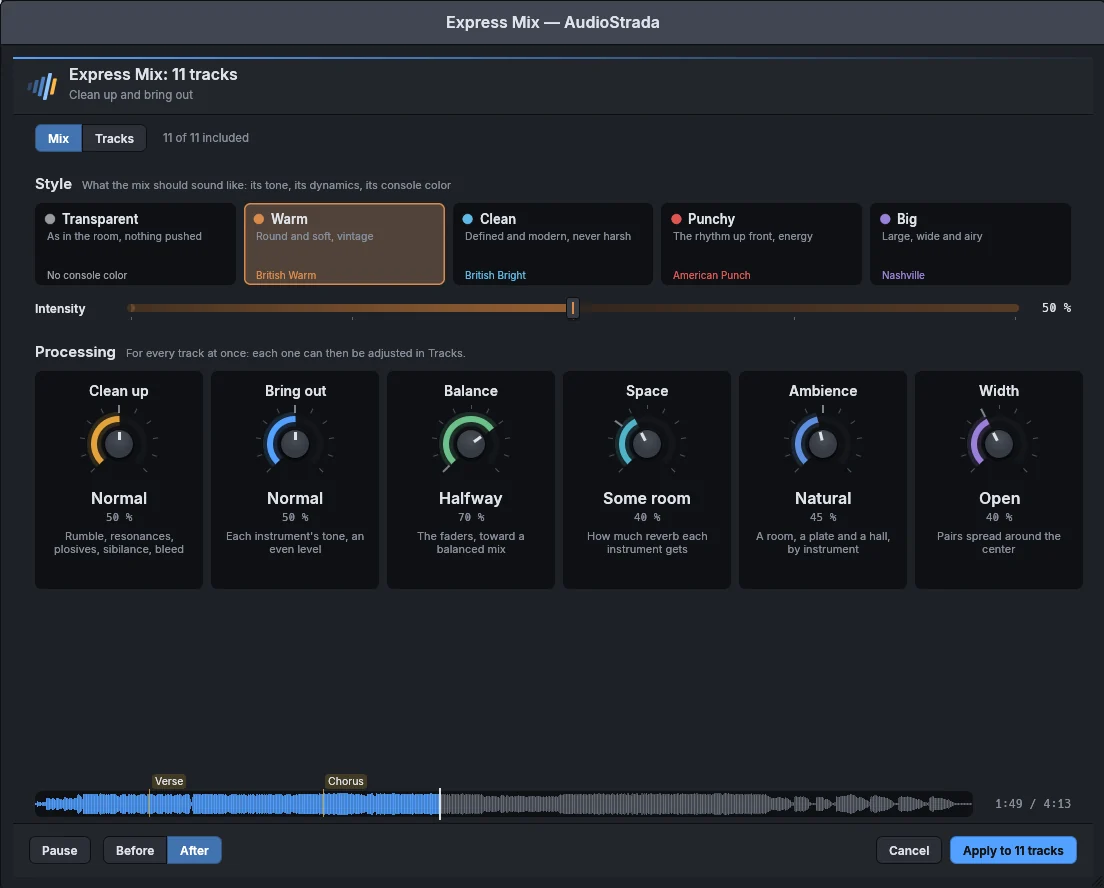
Express Mix, right at the top of the mixer
One button sets up every track: cleaned up, closer to its natural tone, balanced and sent to the reverbs. Each strip has a switch so you can hear it the way it was.
See how Express Mix worksInserts and sends
An on/off switch and the added latency on every insert, and Replace… in its menu to put another effect in the same slot. Sends pre or post fader, in the colour of their bus.
Groups and VCAs
Link faders, pan, mutes, sends and effects. Hold Ctrl to move one track on its own, or switch every group off with Ctrl+Shift+G.
Sidechain and reference
Duck the bass under the kick. Check your mix against a reference track at matched loudness.
Monitoring
A monitoring mode per track, the input level on armed tracks, and a low-latency mode to play through your effects.
Instrument icons
Kick, SN, OH, Vox, Gtr: each track's icon is recognised from its name, in the timeline as in the mixer, and changed with one click.
Room for big sessions
A compact mode with narrow strips (Alt+Shift+C), one click to open a strip full width, snapshots to compare mixes, and the console on a second screen.
Metering
Peak, RMS and LUFS on every strip, with loudness and DSP load always in view.
New tracks where you want them
New tracks land under the selection, and Ctrl+Shift+N adds several at once.
Two screens, one session
Put the console on a second monitor and keep your plugins next to the timeline. Every window reopens right where you left it.
Bring your plugins
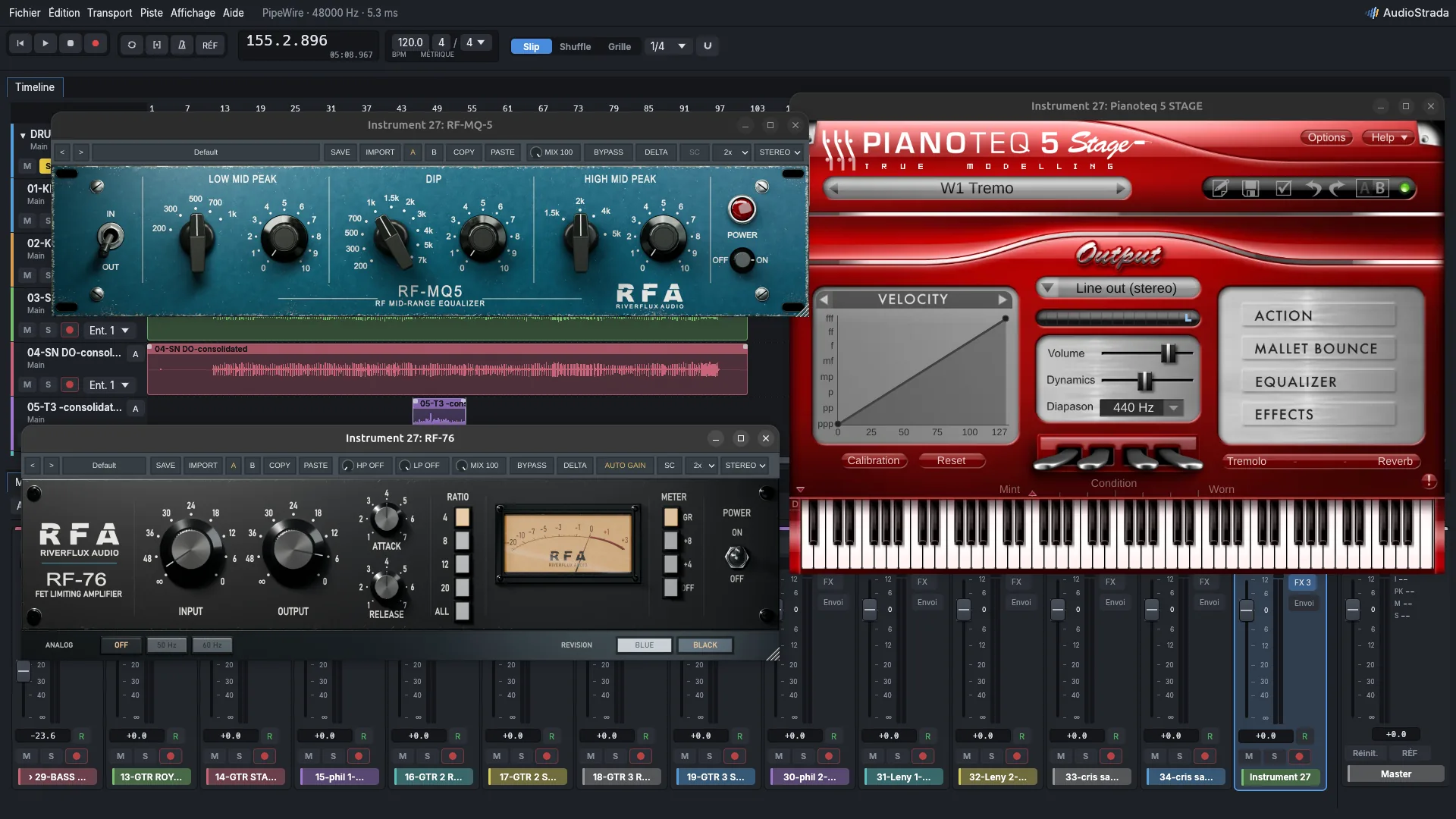
CLAP, VST3, VST2, LV2 and, on macOS, Audio Units. Each one gets its own window and its own process.
- One browser for built-in effects, plugins and chains
- Sort by vendor or category, or just search
- Delay compensation on every path
- Plugin windows follow the selected track
Keep exploring
Free software, paid for by the people who use it
The code is open, under the GNU GPL. A yearly subscription pays for the signed official builds and keeps development going. Every version you download is yours to keep.
Try before you buy: the official builds run without a license. You'll just hear a short dropout every ten minutes.