 AudioStrada
A solid first mix, in one click
Express Mix listens to every track and sets up the whole song: cleaned up, in tone, balanced, with some space around it. From there, you keep mixing by ear.
It knows your instruments
It works out what's on each track from its name and its sound: a male or female voice by its pitch, an acoustic guitar by its top end, a backing vocal next to the lead.
Clean up
A gentle high-pass below the notes that matter, cuts only where a resonance sticks out, plosives and sibilance kept in check, and bleed between hits gated out.
Bring out
Each instrument is nudged toward the way it usually sounds, and only where it's clearly off. Compression where the level jumps around, more attack on the drums.
Balance
The faders move toward a balanced mix, with each instrument where it usually sits against the lead vocal. The overall loudness stays the same.
Space and width
Reverbs and an echo from four ambiences, with tails timed to the song. Stereo pairs spread around the centre, following their L and R.
Same loudness, always
Whatever the processing adds or takes away in level is given back on the strip, so louder never fools you. Before and After play at the same level.
Five styles, five console colours
A style sets how the mix should sound: its tone, its dynamics, which instruments come forward, and the console it runs through. One Intensity slider decides how far it goes.
- Transparent: like being in the room, nothing pushed
- Warm: round, soft and vintage, through British Warm
- Clean: defined and modern with the voice up front, through British Bright
- Punchy: the rhythm section in your face, through American Punch
- Big: huge, wide and airy, through Nashville
A page for every track
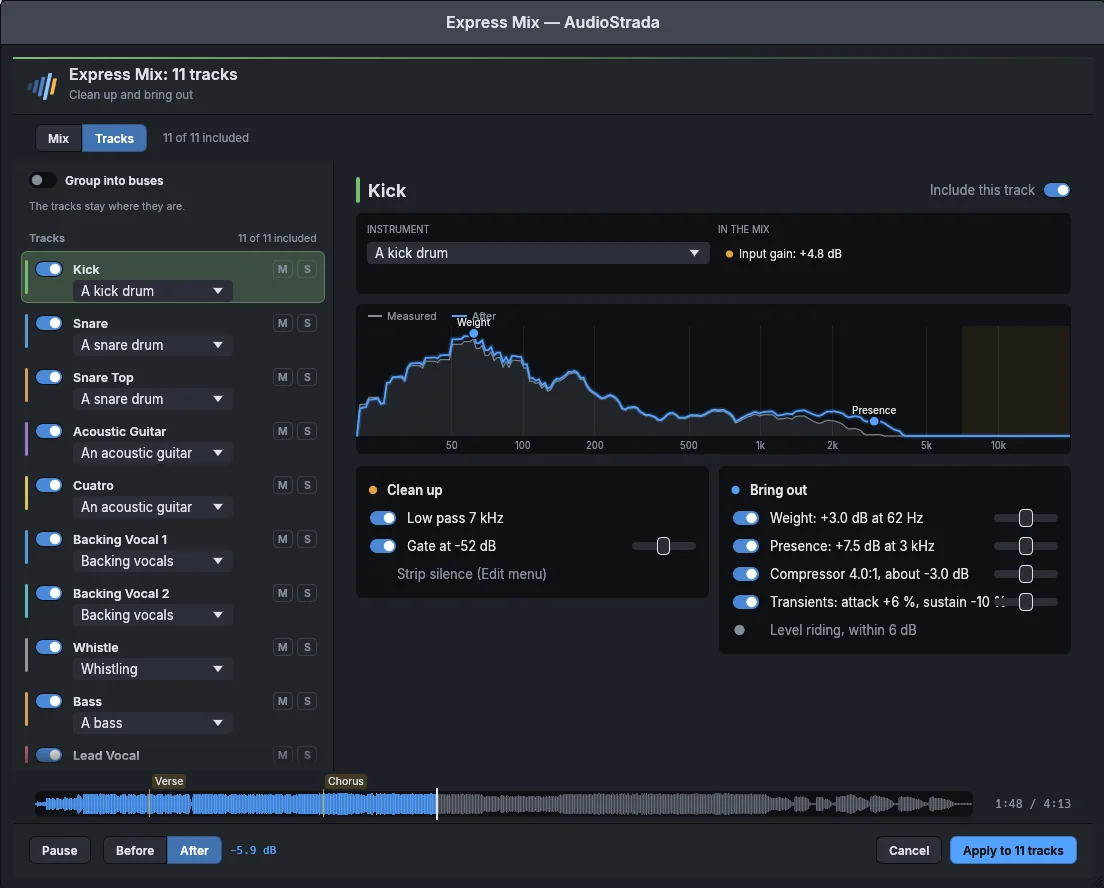
Open a track to see what Express Mix suggests for it: the instrument it heard, where it sits in the mix, its spectrum before and after, and each step with its own switch and amount.
- Switch whole buses on or off at once
- Set each step yourself: 50 % is what's suggested
- Anything you've set by hand is left alone
- Works on a single track too, with a page of its own
No black box
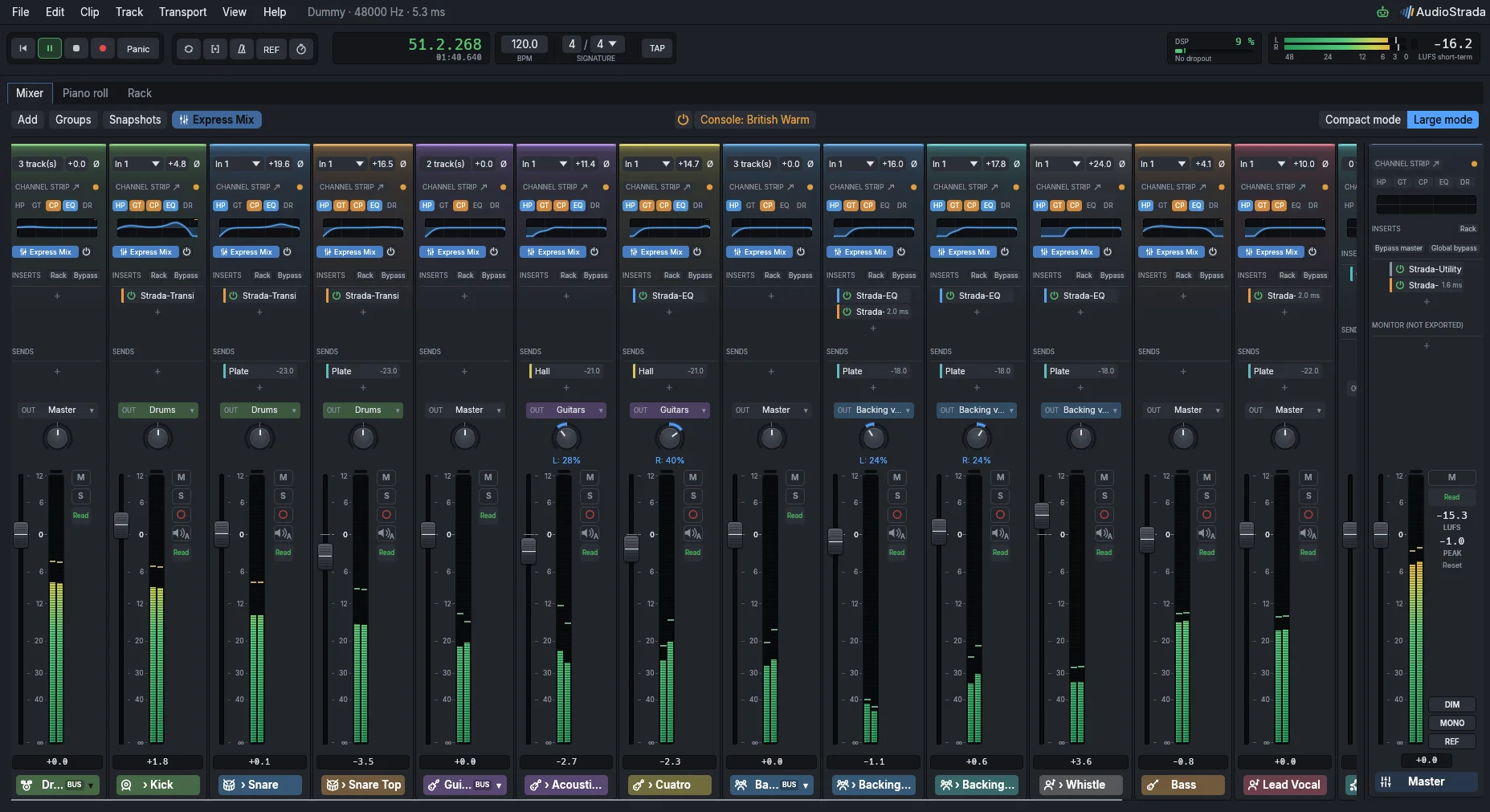
Express Mix only writes what an engineer would: channel strip settings, a few built-in effects and sends to reverb buses. You can change all of it.
- Plain inserts, sends and buses you can edit
- A switch on each strip to compare with the original
- One undo step for the whole song
- At zero, nothing changes at all
Hear it before you commit
While the window is open, you hear the result straight away. Compare Before and After at the same loudness, jump to the chorus, turn a knob and hear the change. Cancel, and your tracks are exactly as they were.
Keep exploring
Free software, paid for by the people who use it
The code is open, under the GNU GPL. A yearly subscription pays for the signed official builds and keeps development going. Every version you download is yours to keep.
Try before you buy: the official builds run without a license. You'll just hear a short dropout every ten minutes.