 AudioStrada
Record it, comp it, shape it
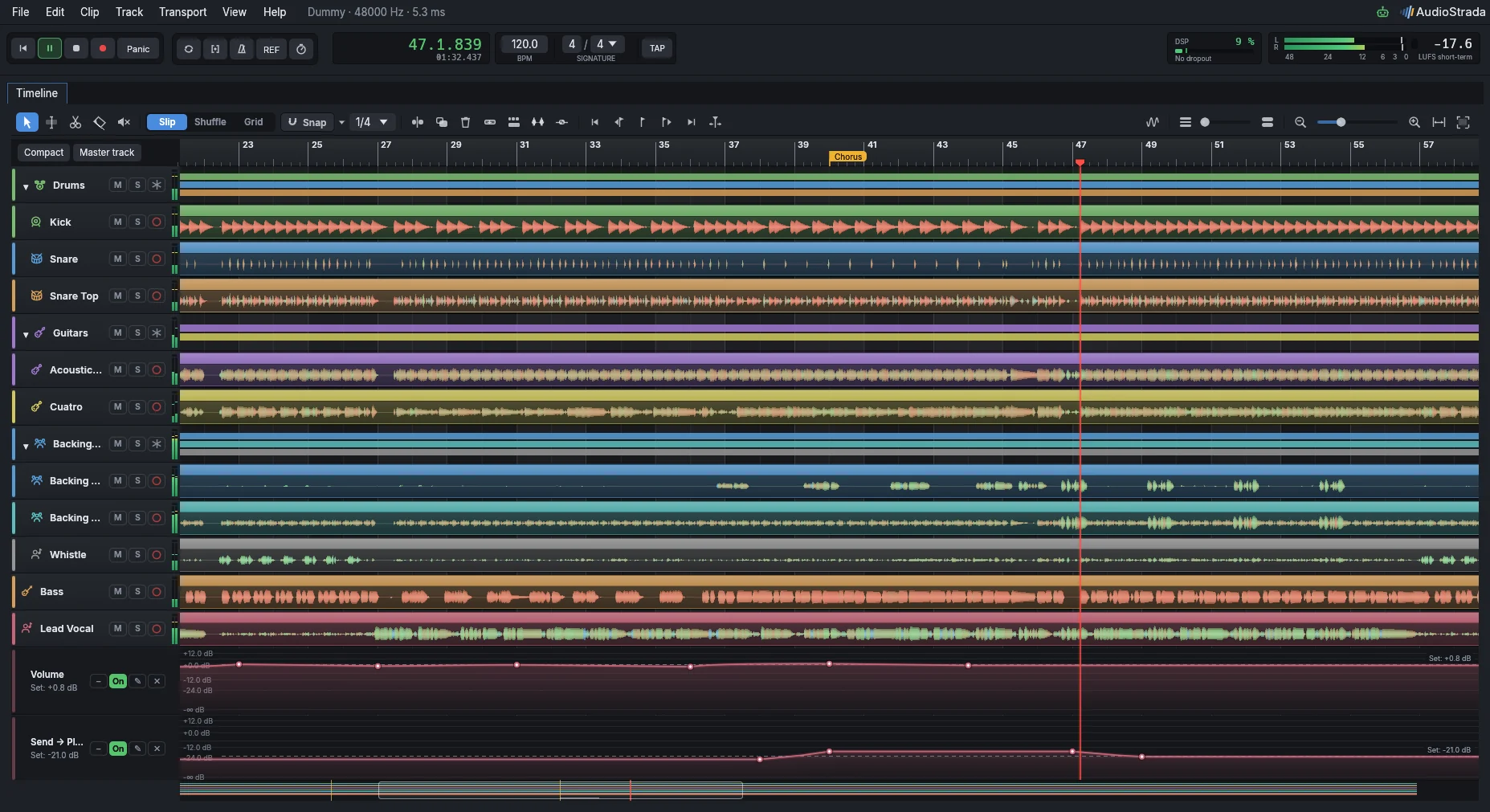
One smart tool that knows whether you want to move, trim or fade, just from where you grab the clip.
Smart tool
Grab the top half to select, the bottom half to move. Edges trim, corners fade, and the top edge sets the gain.
Crossfades that just work
Overlap two clips and they crossfade. Slide the fade, stretch it, and pick its shape from a menu that draws each curve.
Waveforms you can read
Peak and RMS together, a log scale for the quiet bits, spectral colours, and clipping in red.
Automation with real values
Every lane shows its unit, its range and the current value of the control.
The whole song at a glance
An overview strip, zoom to selection, and Tab to jump from one transient to the next.
Takes and comping
Loop-record onto take lanes, comp phrase by phrase, and keep alternatives in playlists.
Smart tool
One smart tool selects, moves, trims and fades. Crossfades follow your edits, and the waveforms show you what the sound is doing.
Every take, kept
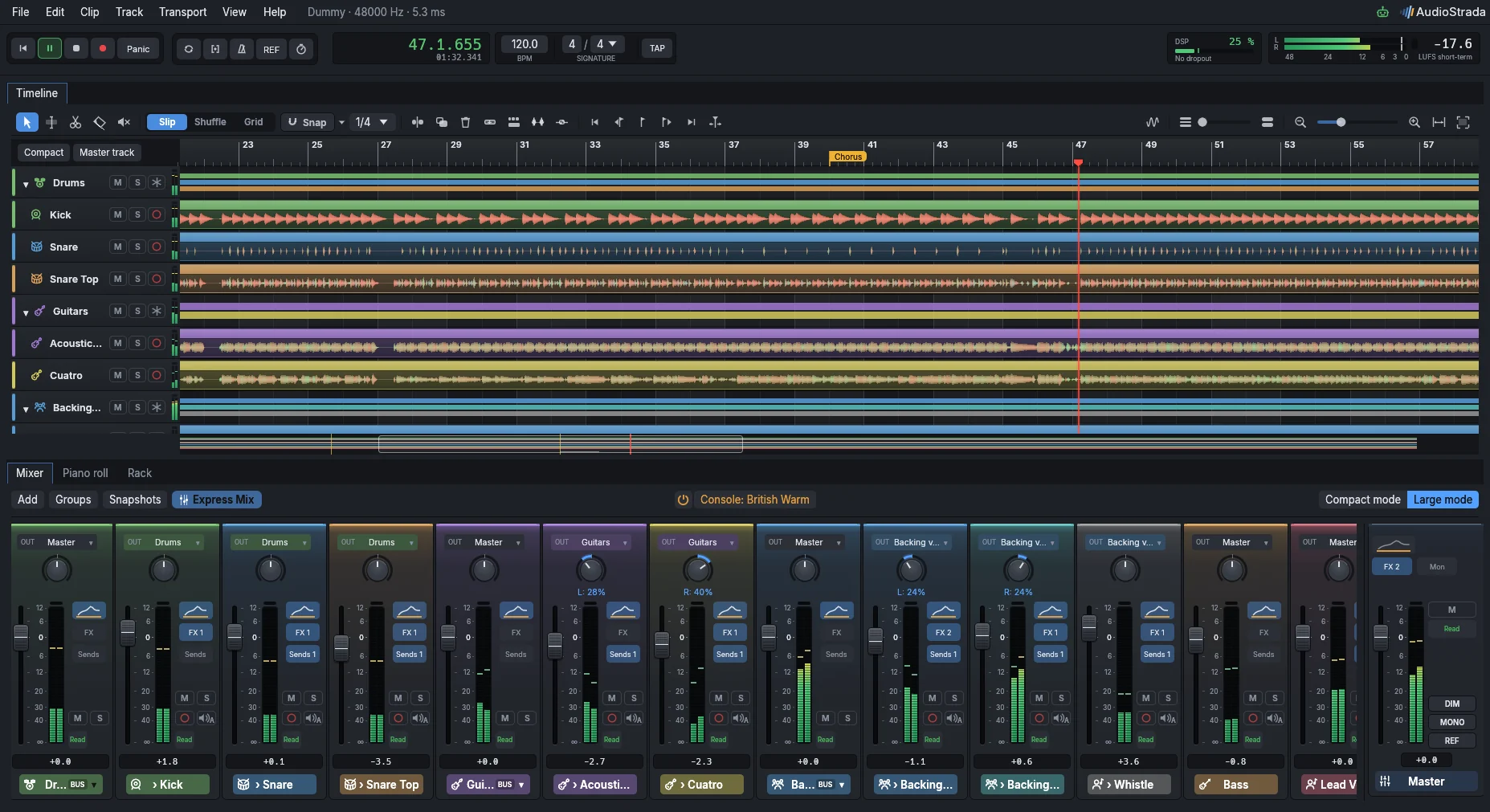
Arm a track, punch in, or loop a section and go again as many times as you need. Nothing gets thrown away.
- 32-bit float, up to 192 kHz
- Loop recording, with one lane per take
- Punch range, count-in and an accented click
- Input latency measured and compensated
- Monitoring per track, and a low-latency mode to play through your effects
Automation you draw
Anything can move over time: volume, pan, sends, and every parameter of every effect. Draw in the lanes under a track, or open the automation editor on top of the waveform.
- Click to add a point, drag to draw, Ctrl+drag to go freehand
- Alt+drag a segment to bend it, or switch to smooth or stepped shapes
- Points snap to the current value, to 0 dB and to their neighbours
- Double-click a point to type -3.5 dB, L 20 or 2.4 kHz
- Read, Touch, Latch, Write and Trim, right from the mixer
An audio editor that does the hunting
Double-click an audio clip to open it in a big editor. AudioStrada listens to it first, then shows you what it found: silences, breaths, harsh S's, clicks and clipping. Vocals, bass, drums or guitar: it all happens with the mouse, right on the waveform.
- Show another track under the clip, its hits marked: line a bass up with its kick, backing vocals with the lead
- Alt+drag snaps the clip's hits to the track below; one click finds the best fit, and Ø flips the polarity when the two cancel out
- Shorten every pause in one drag, or just one with Alt
- Fix a cable click or a clipped peak with one click
- Drag one level line and every breath or S follows, each breath found before its phrase
- Wipe out a creaking chair or a cough with the eraser
- Select a passage to normalise it to -1 dB or lower it by 6 dB
- Flip between Original and Retouched; your file is never touched
Export everything in one go
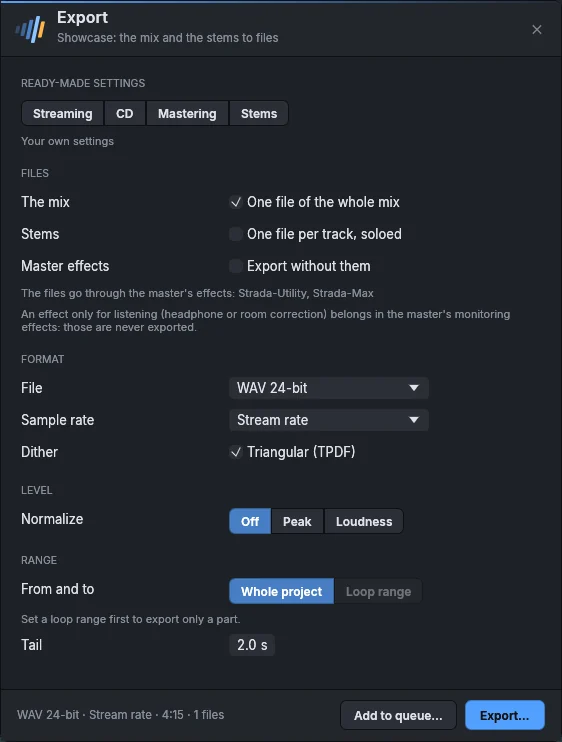
The mix and all your stems, at the loudness you're aiming for.
- WAV, FLAC, MP3 and Opus, with dither
- Peak or LUFS normalisation
- Stems, one file per track
- A render queue, and track freeze
Keep exploring
Free software, paid for by the people who use it
The code is open, under the GNU GPL. A yearly subscription pays for the signed official builds and keeps development going. Every version you download is yours to keep.
Try before you buy: the official builds run without a license. You'll just hear a short dropout every ten minutes.